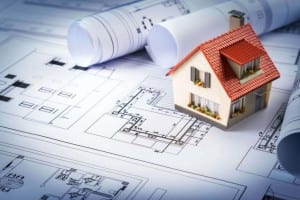
In the ever-evolving world of architecture, precision, efficiency, and innovation are key. As the demands of modern construction projects grow, so does the need for advanced tools and services that can meet these demands. Enter architectural CAD drafting services – the backbone of contemporary architectural design and construction.
What is CAD Drafting?
(CAD) drafting is the process of creating detailed and precise digital representations of architectural designs. These drawings are used by architects, engineers, and construction professionals to visualize and plan structures before they are built. CAD drafting replaces traditional hand-drawn methods, offering a range of advantages that have revolutionized the field.
The Role of Architectural CAD Drafting Services
Architectural CAD drafting services encompass a wide range of tasks, including:
- Design Development:
- Creating initial design concepts and refining them based on client feedback.
- Developing detailed plans, sections, and elevations to provide a comprehensive view of the project.
- Construction Documentation:
- Producing precise construction drawings that guide builders during the construction phase.
- Ensuring all necessary details, such as dimensions, materials, and construction techniques, are accurately represented.
- 3D Modeling and Visualization:
- Creating 3D models to help clients and stakeholders visualize the final product.
- Utilizing advanced rendering techniques to produce photorealistic images and animations.
- Collaboration and Coordination:
- Facilitating communication between architects, engineers, contractors, and clients.
- Ensuring all project stakeholders have access to the most up-to-date drawings and models.
Benefits of Using Professional Architectural CAD Drafting Services
- Accuracy and Precision:
- CAD software allows for highly detailed and accurate drawings, reducing the likelihood of errors during construction.
- The ability to easily modify and update designs ensures that any changes can be quickly implemented.
- Efficiency and Speed:
- CAD drafting significantly speeds up the design process compared to traditional methods.
- Advanced tools and features enable drafters to complete complex tasks more efficiently.
- Cost-Effectiveness:
- By identifying and resolving potential issues during the design phase, CAD drafting can help prevent costly mistakes during construction.
- Improved accuracy and efficiency also contribute to overall cost savings.
- Enhanced Visualization:
- 3D modeling and visualization provide a realistic view of the project, helping clients make informed decisions.
- Virtual walkthroughs and renderings can showcase the design in a way that 2D drawings cannot.
- Improved Collaboration:
- Digital drawings can be easily shared and accessed by all project stakeholders.
- Cloud-based platforms enable real-time collaboration, ensuring everyone is on the same page.
Choosing the Right Architectural CAD Drafting Service
When selecting a provider for architectural CAD drafting services, consider the following factors:
- Experience and Expertise:
- Look for a firm with a proven track record and extensive experience in architectural drafting.
- Check for qualifications, certifications, and testimonials from previous clients.
- Technology and Tools:
- Ensure the service provider uses the latest CAD software and tools.
- Advanced technology can enhance the quality and efficiency of the drafting process.
- Portfolio and Samples:
- Review the provider’s portfolio to assess the quality and style of their work.
- Request samples of previous projects to gauge their capabilities.
- Communication and Support:
- Effective communication is crucial for successful collaboration.
- Choose a provider that offers excellent customer support and is responsive to your needs.
- Cost and Value:
- Compare pricing structures and ensure you understand what is included in the service.
- Consider the overall value and return on investment, rather than just the initial cost.
Conclusion
Architectural CAD drafting services play a vital role in modern architectural design and construction. By leveraging the power of CAD technology, professionals can create precise, efficient, and visually stunning designs that meet the demands of today’s construction industry. Whether you’re an architect, engineer, or builder, partnering with a reliable CAD drafting service can help you bring your vision to life with accuracy and efficiency.
For those seeking top-notch architectural drafting services, look no further than astcad. With a commitment to excellence and a passion for innovation, we are here to support your projects every step of the way. Contact us today to learn more about how our CAD drafting services can benefit your next project.
How can I improve my architectural drafting skills?
Architectural drafting technology refers to the tools, techniques, and processes used to create detailed technical drawings and plans for buildings and other structures. This technology encompasses both traditional methods, like hand drawing, and modern digital methods, such as Computer-Aided Design (CAD). Here are some key components and aspects of architectural drafting technology:u003cbru003eu003cbru003eu003cstrongu003eComputer-Aided Design (CAD)u003c/strongu003e:u003cbru003eu003cstrongu003e2D CADu003c/strongu003e: Software like AutoCAD allows drafters to create precise two-dimensional drawings of floor plans, elevations, and sections.u003cbru003eu003cstrongu003e3D CADu003c/strongu003e: Software like Revit and SketchUp enables the creation of three-dimensional models that provide a more comprehensive view of the design.u003cbru003eu003cstrongu003eBuilding Information Modeling (BIM)u003c/strongu003e:u003cbru003eBIM software, such as Revit, ArchiCAD, and BIM 360, is used for creating intelligent 3D models that integrate detailed information about the building’s components, systems, and materials. This allows for improved collaboration, visualization, and project management.u003cbru003eu003cstrongu003eTraditional Hand Draftingu003c/strongu003e:u003cbru003eAlthough less common today, traditional hand drafting involves drawing plans by hand using tools like pencils, rulers, compasses, and protractors. This method requires a high level of skill and precision.
What is architectural design CAD?
Improving your architectural drafting skills involves a combination of technical proficiency, design understanding, and practical experience. Here are several steps to help you enhance your skills:u003cbru003eu003cbru003eu003cstrongu003e1. Master the Basicsu003c/strongu003eu003cbru003eu003cstrongu003eUnderstand Drawing Conventionsu003c/strongu003e: Learn the standard symbols, line types, and notations used in architectural drafting.u003cbru003eu003cstrongu003eLearn to Read Blueprintsu003c/strongu003e: Familiarize yourself with interpreting existing drawings to understand how to create your own.u003cbru003eu003cstrongu003ePractice Hand Draftingu003c/strongu003e: Although CAD is dominant, understanding hand drafting principles can improve your overall drafting skills.u003cbru003eu003cbru003eu003cstrongu003e2. Gain Proficiency with CAD Softwareu003c/strongu003eu003cbru003eu003cstrongu003eChoose the Right Softwareu003c/strongu003e: Focus on mastering a few key programs such as AutoCAD, Revit, or SketchUp.u003cbru003eu003cstrongu003eTake Online Courses and Tutorialsu003c/strongu003e: Platforms like Coursera, Udemy, and LinkedIn Learning offer courses that cover various aspects of architectural CAD software.u003cbru003eu003cstrongu003ePractice Regularlyu003c/strongu003e: Consistent practice helps solidify your understanding and improves speed and accuracy.u003cbru003eu003cbru003eu003cstrongu003e3. Study Architectural Design Principlesu003c/strongu003eu003cbru003eu003cstrongu003eLearn Design Fundamentalsu003c/strongu003e: Study proportion, scale, balance, and other design principles to enhance the aesthetic quality of your drafts.u003cbru003eu003cstrongu003eUnderstand Building Codes and Regulationsu003c/strongu003e: Knowledge of local building codes ensures your designs are compliant with legal standards.u003cbru003eu003cbru003eu003cstrongu003e4. Analyze and Recreate Existing Plansu003c/strongu003eu003cbru003eu003cstrongu003eReverse Engineer Designsu003c/strongu003e: Take existing architectural plans and try to recreate them. This helps in understanding how professional drafts are constructed.u003cbru003eu003cstrongu003eCompare and Critiqueu003c/strongu003e: Compare your drafts with the originals to identify areas for improvement.u003cbru003eu003cbru003eu003cstrongu003e5. Develop Attention to Detailu003c/strongu003eu003cbru003eu003cstrongu003eFocus on Accuracyu003c/strongu003e: Pay close attention to measurements, annotations, and details. Precision is critical in architectural drafting.u003cbru003eu003cstrongu003eUse Checklistsu003c/strongu003e: Develop checklists for different types of drawings to ensure all necessary elements are included.
How do I start learning architectural drawings?
Learning architectural drawings can be an exciting and rewarding journey. Here are some steps to get you started:u003cbru003eu003cbru003eu003cstrongu003e1. Understand the Basicsu003c/strongu003eu003cbru003eu003cstrongu003eLearn Basic Drawing Skillsu003c/strongu003e: Start with basic drawing techniques, focusing on lines, shapes, and perspectives.u003cbru003eu003cstrongu003eStudy Architectural Terminologyu003c/strongu003e: Familiarize yourself with key terms and concepts in architecture.u003cbru003eu003cbru003eu003cstrongu003e2. Get the Right Toolsu003c/strongu003eu003cbru003eu003cstrongu003eDrawing Toolsu003c/strongu003e: Pencils, erasers, rulers, compasses, and protractors.u003cbru003eu003cstrongu003eCAD Softwareu003c/strongu003e: Familiarize yourself with popular software like AutoCAD, SketchUp, Revit, or ArchiCAD.u003cbru003eu003cbru003eu003cstrongu003e3. Educational Resourcesu003c/strongu003eu003cbru003eu003cstrongu003eBooksu003c/strongu003e:u003cemu003eu0022Architectural Graphicsu0022u003c/emu003e by Francis D.K. Chingu003cbru003eu003cemu003eu0022Drawing for Architectsu0022u003c/emu003e by Julia McMorroughu003cbru003eu003cstrongu003eOnline Coursesu003c/strongu003e: Platforms like Coursera, Udemy, and LinkedIn Learning offer courses on architectural drawing and CAD.u003cbru003eu003cstrongu003eTutorials and Videosu003c/strongu003e: YouTube has many tutorials on architectural drawing techniques and CAD software.u003cbru003eu003cbru003eu003cstrongu003e4. Learn CAD Softwareu003c/strongu003eu003cbru003eu003cstrongu003eBeginner Tutorialsu003c/strongu003e: Start with beginner tutorials on the software you choose. AutoCAD and SketchUp are good starting points.u003cbru003eu003cstrongu003ePractice Projectsu003c/strongu003e: Work on simple projects like floor plans and elevations to get hands-on experience.u003cbru003eu003cbru003eu003cstrongu003e5. Study Architectural Drawingsu003c/strongu003eu003cbru003eu003cstrongu003eAnalyze Existing Drawingsu003c/strongu003e: Look at architectural drawings from books, online resources, and real-life examples to understand different styles and techniques.u003cbru003eu003cstrongu003ePractice Redrawingu003c/strongu003e: Try to replicate existing architectural drawings to improve your skills.u003cbru003eu003cbru003eu003cstrongu003e6. Take a Courseu003c/strongu003eu003cbru003eu003cstrongu003eCommunity Colleges and Universitiesu003c/strongu003e: Many institutions offer courses in architectural drawing and CAD.u003cbru003eu003cstrongu003eWorkshops and Seminarsu003c/strongu003e: Look for workshops or seminars in your area that focus on architectural drawing.u003cbru003eu003cbru003eu003cstrongu003e7. Practice Regularlyu003c/strongu003eu003cbru003eu003cstrongu003eDaily Drawingu003c/strongu003e: Set aside time each day to practice drawing, both by hand and using CAD software.u003cbru003eu003cstrongu003eFeedback and Improvementu003c/strongu003e: Seek feedback from professionals or online communities and continuously work on improving your skills.