
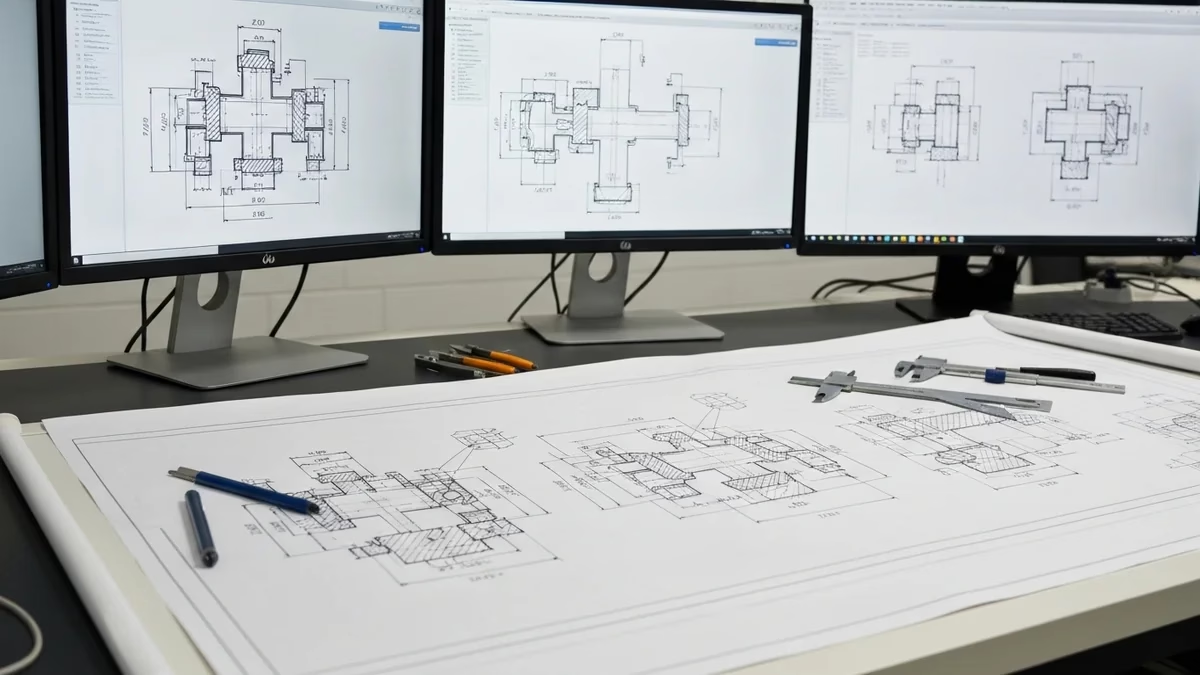
A CAD drawing is a precise digital representation of an object, structure, or system created using Computer-Aided Design software. In Australian engineering and construction practice, CAD drawings are the primary deliverable across mechanical, structural, architectural, civil, and electrical disciplines — replacing hand drafting almost entirely since the late 1990s. This guide covers what CAD drawing is, how it works, the Australian Standards that govern it, and a practical step-by-step process for producing your first professional-grade CAD drawing.
What is a CAD drawing?
A CAD drawing is a two-dimensional or three-dimensional technical representation created using software such as AutoCAD, SolidWorks, Revit, or Fusion 360. Unlike a hand sketch, a CAD drawing is geometrically precise — every line has an exact length, every angle an exact value — and can be scaled, modified, and reused without redrawing from scratch.
In Australian engineering practice, CAD drawings serve different functions depending on their type. A detail drawing shows a single part with full dimensions and material callouts for manufacture. An assembly drawing shows how multiple parts fit together. A general arrangement (GA) drawing shows the overall layout of a system, plant, or building. A fabrication drawing provides all the information a workshop needs to manufacture a component — material, dimensions, weld symbols, surface treatment. Each type follows specific conventions under the Australian Standards for technical drawing.
Australian Standards for CAD drawings — AS 1100
In Australia, all engineering drawings must comply with the AS 1100 Technical Drawing series, published by Standards Australia. This is the Australian equivalent of ISO 128 (general principles of presentation) and defines the conventions, symbols, and notation that make Australian drawings legible to fabricators, certifiers, and engineers across the country.
- AS 1100.101 — General principles: Line types, sheet sizes (A0 to A4), title block requirements, scale notation.
- AS 1100.201 — Mechanical engineering drawing: Third-angle orthographic projection, section views, dimensioning conventions, surface texture symbols (Ra), and GD&T.
- AS 1100.301 — Architectural drawing: North point, grid notation, room naming, symbol conventions.
- AS 1100.501 — Structural engineering drawing: Reinforcement notation, weld symbols per AS/NZS 1554, structural steel section callouts using Australian designations (UB, UC, RHS, SHS, CHS).
One critical point for Australian drafters: third-angle projection is the default under AS 1100.201. Australian fabricators expect it. If working with European suppliers or clients, the projection symbol must be clearly marked on every sheet — mixing first-angle and third-angle views without explicit notation produces mirrored or inverted parts.
Types of CAD drawings used in Australian engineering
2D CAD drawings
Two-dimensional CAD drawings remain the primary deliverable for fabrication, construction, and approval documentation in Australia. A 2D CAD drawing shows an object using orthographic views — front, top, side — with dimensions, notes, and title block information. Tools used for 2D CAD in Australia include AutoCAD (by far the most common), DraftSight, and MicroStation. 2D CAD drawings are issued as PDF for review and approval, and as DWG or DXF for use by fabricators, CNC machines, and contractors.
3D CAD models and drawings
Three-dimensional CAD modelling is standard for mechanical product design and structural detailing. In SolidWorks, Autodesk Inventor, or Fusion 360, a 3D model is built first, and 2D drawings are then generated from the model. When sharing 3D models between different software packages, the STEP format (AP203 or AP242) is the modern standard — it preserves solid geometry, assembly structure, and optionally GD&T data across all major CAD systems. For architecture and building services, Autodesk Revit produces BIM drawings with embedded data about materials, finishes, and room areas.
Shop drawings and fabrication drawings
Shop drawings are produced by the fabricator (or a drafter on their behalf) from the engineer’s general arrangement drawings. They show how the fabricator intends to manufacture each component — individual member marks, shop and field welds, bolt grades, material grades, and surface treatment. In Australian structural steel practice, shop drawings are submitted to the structural engineer of record for review and approval before fabrication begins. See the fabrication shop drawing checklist for the complete list of items required on an Australian fabrication drawing.
Step-by-step: creating your first CAD drawing
Step 1 — Choose your CAD software
- AutoCAD — the industry standard for 2D drafting across all disciplines. Used by most Australian drafting firms, fabricators, and contractors.
- SolidWorks — the dominant 3D CAD platform for mechanical product design in Australian manufacturing, mining equipment, and oil & gas.
- Autodesk Revit — the standard for architectural and structural BIM in Australian construction.
- Autodesk Fusion 360 — a good entry point combining 3D modelling, simulation, and CAM in one subscription.
- Tekla Structures — used by Australian structural steel fabricators and detailers for shop drawing production.
Step 2 — Set up your drawing environment to AS 1100
- Units: millimetres for mechanical and structural, metres for civil and site work.
- Sheet size: A1 (841 × 594mm) is the most common for engineering drawings in Australia.
- Projection type: third-angle — add the projection symbol to your title block.
- Dimension style: text height 3.5mm at A1 scale, filled arrowheads, decimal separator as a full stop.
- Title block: every drawing must have drawing title, number, revision, date, scale, sheet size, projection symbol, drafter and checker names per AS 1100.101.
Step 3 — Draw your geometry
Start with the main orthographic views — front, top, and right side — arranged per third-angle projection. In AutoCAD, use LINE, CIRCLE, ARC, RECTANGLE, and OFFSET to build geometry. Keep geometry clean — no duplicate lines, no open polylines, no tiny gaps. For 3D CAD in SolidWorks: sketch on a reference plane, add geometric and dimensional constraints to fully define the sketch, then use Extrude, Revolve, or Sweep to create the solid.
Step 4 — Organise with layers
A well-organised layer structure makes a drawing easier to read, modify, and print. A typical ASTCAD AutoCAD layer structure uses: OUTLINE (0.5mm — visible edges), HIDDEN (0.25mm dashed), DIMENSION (0.25mm), ANNOTATION (0.18mm), HATCH (0.18mm), CENTRELINE (0.25mm chain), and TITLE (0.35mm). Never mix content types on the same layer.
Step 5 — Add dimensions per AS 1100.201
All dimensions in millimetres. Dimension lines minimum 10mm from the nearest visible edge. Overall length/width/height on every part. Reference dimensions in parentheses (150). General tolerance note: “Unless otherwise stated, all dimensions ±0.5mm.” Every hole dimensioned in the view showing it as a circle.
Step 6 — Add annotations, notes, and weld symbols
Beyond dimensions: material callout (e.g. “AS/NZS 3678 Grade 350”), surface treatment (e.g. “Hot-dip galvanise to AS/NZS 4680 after fabrication”), general notes (projection, units, tolerance, drawing standard), weld symbols per AS 1100.501 and AS/NZS 1554, and for structural drawings the weld inspection category (SP or GP per AS/NZS 1554.1).
Step 7 — Check and issue
Before issuing: verify all dimensions are present, check material callouts, confirm title block is complete with revision letter and date, verify weld symbols are correct. In AutoCAD, AUDIT finds and fixes file corruption; OVERKILL removes duplicate geometry. Issue as PDF for review and DWG for use — never issue a CAD file for fabrication without a corresponding PDF at the same revision.
Step 8 — Save in the correct formats
Australian engineering practice uses: DWG (universal 2D CAD exchange), DXF (for CNC and interoperability), PDF (issue, review, approval), STEP or IGES (3D model exchange between different CAD systems), STL (3D printing), and IFC (open BIM format for Revit model exchange). Always include the drawing number and revision in the filename — e.g. ASTCAD-MECH-001-Rev-C.pdf.
Key AutoCAD commands every drafter should know
The most-used AutoCAD commands for drawing production: L (Line), PL (Polyline), C (Circle), O (Offset), TR (Trim), EX (Extend), M (Move), CO (Copy), MI (Mirror), RO (Rotate), F (Fillet), CHA (Chamfer), H (Hatch), DLI (Dimension Linear), DCO (Dimension Continue), DRA (Dimension Radius), DDI (Dimension Diameter). Learning keyboard shortcuts rather than clicking through menus is what separates a fast professional drafter from a slow beginner.
Common CAD drawing errors and fixes
- Wrong projection symbol. Always show third-angle on Australian drawings. Mark first-angle explicitly when working internationally.
- Dimensions not in millimetres. A drawing produced in inches shared with an Australian fabricator will produce parts 25.4× the wrong size if the unit mismatch isn’t caught.
- Open geometry. Unclosed polylines cause hatching to fail and CNC toolpaths to break. Use BOUNDARY and PEDIT to close geometry before issuing.
- Missing material callout. Use specific specifications: “AS/NZS 3678 Grade 350” not just “steel”.
- Scale not stated on detail views. When a detail is at a different scale from the main drawing, state the scale adjacent to the view title.
- No revision cloud on updated drawings. Cloud the changed area and update the revision table on every re-issue.
Frequently asked questions
What is the difference between a CAD drawing and a CAD model?
A CAD model is a three-dimensional digital object — a solid, surface, or wireframe representation. A CAD drawing is a two-dimensional orthographic representation with dimensions, annotations, and title block information. The drawing is the document issued for fabrication or approval; the model is the design tool. In SolidWorks and Inventor, the 3D model is built first, then the 2D drawing is generated from it.
Does Australia use first-angle or third-angle projection?
Australia uses third-angle projection as the default per AS 1100.201. In third-angle, the right side view appears to the right of the front view and the top view appears above. Europe uses first-angle (ISO). The projection symbol must always be shown on Australian drawings — especially important when drawings may be sent to international suppliers.
What file format should Australian CAD drawings be issued in?
Issue as PDF (review, approval, printing) and DWG (contractor and fabricator use). For 3D model exchange, STEP (.stp) is the most universally accepted neutral format; IGES (.igs) is the legacy alternative. For CNC cutting, use DXF. Always include drawing number and revision in the filename.
How long does it take to learn CAD drawing professionally?
Basic 2D drawings in AutoCAD: 2–4 weeks of daily practice. Professional fabrication drawings to AS 1100: 3–6 months of hands-on work. Full 3D CAD proficiency (SolidWorks or Inventor): 12–18 months. ASTCAD’s drafter recruitment service can place experienced CAD drafters immediately when training time isn’t available.
Related resources: Engineering Drawing Guide — AS 1100 | Fabrication Shop Drawing Checklist | Sheet Metal Design Handbook | CAD Drafting Services