
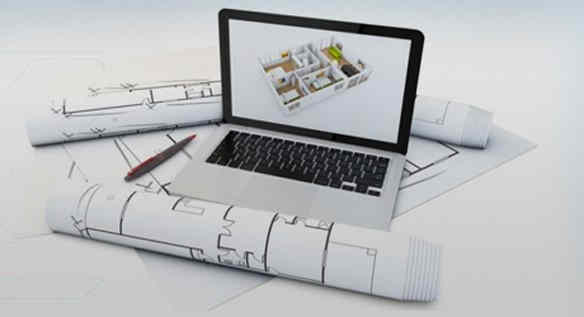
Why you need your raster images to move towards vector images? Read on to find out more about Australian raster to vector conversion.
If you’re looking for a professional and diligent team of experts, we bring the best manual raster to vector conversion. You get the constant need for complex yet accurate drawings from the manufacturing or mechanical engineering industry. We have the best team that offer unique conversion requirements. Raster images show resolution-dependent and do not yield very accurate results. If you still use raster images, it’s time to move towards vector images, as it can generate accurate drawings and images.
Raster to Vector Conversion
With raster to vector conversion, one can effortlessly convert un-editable paper drawings into accurate vector files in the CAD software of your required choice. Later, the converted files can be saved in any vector format (WMF, EMF, AI, or EPS DXF). Once you convert your file into a vector, it can be effortlessly read by any CAD program like AutoCAD, Adobe Illustrator, Corel Draw, Microstation, VectorWorks, FastCAD or TrueCAD. Also, the raster to vector conversion is a direct replacement for traditional tracing and digitizing, which could be less accurate and more time-consuming.
Why use vector images in CAD programs?
We offer top-quality services to retain clients. The CAD programs help to import and display raster files, while you only can look at the file or trace it. Later, you will be unable to change it. It happens when CAD programs only work with vector files. If you want to change a raster file in your CAD program, you need to convert it into a vector file for raster to vector conversion. Once the file converts into a vector file, you can import it into a CAD program and edit it with ease.
How is a file converted from raster to vector?
- Initially, a paper drawing is scanned using a scanner and created a raster file.
- The file from raster to vector passes through raster to vector for conversion.
- Later, the vector file imports into the CAD program.
- Users can easily edit vector drawing in the CAD program.
Who requires raster to vector conversion?
- CAD professionals who require a quick scan, convert and edit drawings using popular CAD programs.
- Mechanical, electrical and architectural engineers do drawings done by hand and edited in CAD software.
- Professionals convert small faxed drawings into vector drawings.
- Technical professionals use several bitmap drawings and convert their data into an editable vector format.
- Photo editing professionals convert photos/artwork into vector files for easy engraving or cutting.
Have you tried raster to vector conversion?
We know raster images consist of pixels and get lose when enlarged. Using raster to vector conversion services can quickly edit a drawing rather than redraw the entire concept from scratch. One can save countless hours on tracing, redrawing and digitizing. In short, vector graphics are defined as geometrical constructions. Why not choose raster to vector conversion for paper drawings right away? Get to know more about our low-cost, precise and super-fast raster to vector conversion services.
Can I convert a raster image to vector?
Yes, you can convert a raster image to a vector image using various software tools, including Adobe Illustrator, Inkscape, CorelDRAW, and online converters. Here’s a general process for converting a raster image to a vector image:u003cbru003eu003cstrongu003eChoose a Softwareu003c/strongu003e: Select a vector graphics editing software that you’re comfortable with or try one of the online converters if you prefer a simpler approach.u003cbru003eu003cstrongu003eImport the Raster Imageu003c/strongu003e: Open the raster image file (such as .jpg, .png, or .bmp) in the vector graphics software.u003cbru003eu003cstrongu003eTrace the Imageu003c/strongu003e: Use the tracing or vectorization tool available in the software to convert the raster image into vector paths. This tool automatically analyzes the colors and shapes in the raster image and creates vector paths based on them.u003cbru003eu003cstrongu003eAdjust Settings (Optional)u003c/strongu003e: Depending on the software you’re using, you may have options to adjust settings such as the level of detail, color threshold, or smoothing to achieve the desired vector output. Experiment with these settings to optimize the conversion process.u003cbru003eu003cstrongu003eRefine the Vector Imageu003c/strongu003e: After tracing the raster image, you may need to refine the vector paths manually. This could involve simplifying complex shapes, adjusting curves, or cleaning up any unwanted artifacts.u003cbru003eu003cstrongu003eSave the Vector Imageu003c/strongu003e: Once you’re satisfied with the vector conversion and refinement, save the vector image file in a vector format such as .svg, .eps, .ai, or .pdf.u003cbru003eu003cstrongu003eReview and Editu003c/strongu003e: After converting to vector, review the image to ensure that it accurately represents the original raster image. You can further edit the vector image as needed, such as changing colors, adding text, or adjusting shapes.u003cbru003eu003cstrongu003eExport and Useu003c/strongu003e: Finally, export the vector image for your intended use, whether it’s for printing, digital design, or further editing in other software.
What is the best tool to convert raster to vector?
The u0022bestu0022 tool for converting raster images to vector images can vary depending on your specific needs, preferences, and level of expertise. However, some popular and widely used software tools known for their raster-to-vector conversion capabilities include:u003cbru003eu003cstrongu003eAdobe Illustratoru003c/strongu003e: Illustrator is a professional vector graphics editor widely used in the design industry. It offers powerful vectorization tools, including the Image Trace feature, which can convert raster images into vector paths with various preset options and customizable settings.u003cbru003eu003cstrongu003eInkscapeu003c/strongu003e: Inkscape is a free and open-source vector graphics editor that provides robust vectorization tools. Its u0022Trace Bitmapu0022 feature allows users to convert raster images into vector graphics using different algorithms and adjustment parameters.u003cbru003eu003cstrongu003eCorelDRAWu003c/strongu003e: CorelDRAW is a professional vector graphics suite known for its comprehensive set of design tools. It includes features for raster-to-vector conversion, such as the u0022PowerTRACEu0022 tool, which offers advanced options for tracing and refining raster images.u003cbru003eu003cstrongu003eOnline Convertersu003c/strongu003e: There are several online tools and websites that offer raster-to-vector conversion services. These tools typically allow you to upload a raster image and receive a vectorized version in return. Examples include Vector Magic, Online Convert, and Convertio.u003cbru003eu003cstrongu003ePotraceu003c/strongu003e: Potrace is a free command-line tool and library for converting bitmap images into vector graphics. While it may not have a graphical user interface like the other options listed above, it provides highly customizable vectorization options and is suitable for more technical users or integration into automated workflows.