
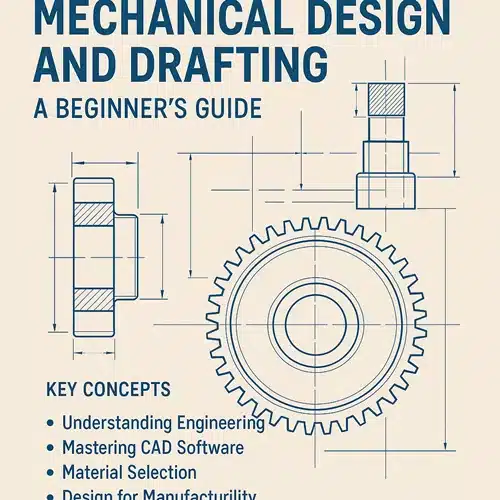
Mechanical design and drafting form the backbone of modern engineering. From the smallest machine components to large-scale industrial equipment, everything begins with a detailed design. If you’re new to the field, diving into mechanical design and drafting might seem overwhelming. But don’t worry—this beginner’s guide will simplify the process and help you build a strong foundation.
What is Mechanical Design and Drafting?
Mechanical design is the process of creating drawings and specifications for mechanical systems and components. It involves understanding how machines function, selecting suitable materials, and optimizing the design for performance and cost.
Mechanical drafting, on the other hand, is the act of translating these design ideas into technical drawings using CAD (Computer-Aided Design) tools. These drawings include precise dimensions, tolerances, materials, and assembly instructions.
Together, mechanical design and drafting ensure that a product can be built accurately, efficiently, and safely.
Key Concepts for Beginners
1. Understanding Engineering Drawings
Engineering drawings are the universal language of engineers. They include multiple views (top, front, side), detailed dimensions, and annotations to communicate how a part or assembly should be built.
Familiarize yourself with:
- Orthographic projection
- Isometric views
- Sectional views
- Tolerances and GD&T (Geometric Dimensioning and Tolerancing)
2. Mastering CAD Software
CAD software is essential for drafting and designing. Popular tools include:
- AutoCAD
- SolidWorks
- CATIA
- Fusion 360
- Siemens NX
Start with 2D drafting before transitioning into 3D modeling. Many software providers offer free student versions, which are perfect for beginners.
3. Material Selection
Understanding material properties is crucial in mechanical design. Factors like strength, weight, corrosion resistance, and cost influence material choices. Common materials include:
- Steel
- Aluminum
- Brass
- Plastics (ABS, Nylon, etc.)
4. Design for Manufacturability (DFM)
A good design isn’t just functional—it’s also easy and cost-effective to manufacture. DFM principles help avoid over-engineering and reduce production costs. Consider:
- Minimizing part complexity
- Standardizing components
- Reducing the number of parts in an assembly
5. Working with Tolerances
Every manufactured part has some variation. Tolerances define the allowable limits. For instance, a shaft may be designed to be 20mm ± 0.02mm in diameter. Understanding tolerances is essential to ensure parts fit and function correctly.
Tips for Getting Started
- Start Simple: Begin with basic projects like brackets, bushings, or gears to understand shapes and features.
- Practice Regularly: Like any skill, drafting improves with practice. Try to replicate existing parts to sharpen your understanding.
- Learn from Others: Study professional drawings, join online communities, and watch tutorials.
- Understand Industry Standards: Familiarize yourself with ANSI, ISO, and other relevant drafting standards.
Common Mistakes to Avoid
- Skipping the Planning Phase: Always sketch and plan your design before jumping into CAD.
- Neglecting Tolerances: Ignoring tolerances can lead to assembly failures.
- Overcomplicating Designs: Keep your designs simple and functional.
- Not Backing Up Files: Always save and back up your design files to avoid data loss.
- Ignoring Manufacturing Constraints: Design with the end process (machining, 3D printing, etc.) in mind.
Tools and Resources
- Books: “Technical Drawing with Engineering Graphics” by Frederick Giesecke, and “Machine Design” by Khurmi & Gupta.
- Courses: Free CAD tutorials on platforms like Coursera, Udemy, and YouTube.
- Communities: Reddit’s r/engineering, GrabCAD, and Autodesk forums.
Mechanical design and drafting are essential skills in today’s engineering and manufacturing industries. By starting with the basics and gradually building your knowledge and portfolio, you’ll be well on your way to a rewarding career in design. Whether you’re aiming to become a product designer, mechanical engineer, or CAD technician, this foundational knowledge is your first step to success.
What is the difference between 2D drafting and 3D modeling?
2D drafting creates flat technical drawings showing top, front, and side views, which is ideal for construction documentation and manufacturing specifications commonly used across Australian building codes. 3D modeling builds complete digital objects in three dimensions, letting you visualize designs better and run simulations before production. We recommend starting with 2D for traditional drawings, then progressing to 3D when you need to present designs to clients or test fit and function.
Is coding required for mechanical design?
No, coding isn’t required for mechanical design with ASTCAD. Our software uses intuitive graphical tools that Australian engineers and drafters rely on daily for creating precise technical drawings and 3D models. However, if you’re interested in automating repetitive tasks or running simulations, basic programming knowledge in Python can be beneficial. Most users successfully complete projects without any coding experience at all.
How long does it take to learn mechanical drafting?
With consistent practice, you can grasp basic 2D drafting in a few weeks, though mastering our software’s Australian-specific features like compliance with AS/NZS standards may take a little longer. 3D modeling and advanced mechanical concepts typically require a few months of dedicated learning. We recommend our structured tutorials and practical projects to accelerate your progress, and many of our Australian clients find they’re productive within their first month.
Can I learn mechanical drafting online?
Yes, absolutely! We offer online mechanical drafting courses and resources designed specifically for Australian standards and practices. Our beginner-friendly tutorials cover everything from AutoCAD basics to AS/NZS compliance requirements, so you can learn at your own pace from anywhere in Australia. Many of our clients have successfully transitioned to professional roles using our online training platform combined with practical exercises.
Do I need a degree to become a mechanical designer?
While a degree helps, many successful designers come from diploma or certification backgrounds. What matters most is your skill, portfolio, and understanding of design principles.